
Context Services Interface
|
The Context Services Interface is a web-based interface which enables edition of Context Services data. This interface is intended to be used by developers and supervisors looking for detailed information about services. (Tell me why.) This interface enables you to modify or delete a given service, and to search for it. |
Contents
Login Panel
The Context Services Interface is available as part of the GMS Service Management User interface (detailed in the GMS Deployment Guide).
- To access this interface, you must login as a user who owns the Administrator or Supervisor role.
- Then, you can select the Context Services icon:

Start panel of the GMS Service Management User interface
Searching for Services
You can search for services or customers in the Context Services panel. You can search for UCS keys or Service, State, and Task IDs. These fields must be identical to a key in the UCS database to work correctly. There is no automatic completion available.
- Select a key in the search drop down menu, then enter a value in the Search text box. The value must match a UCS entry to provide a result.
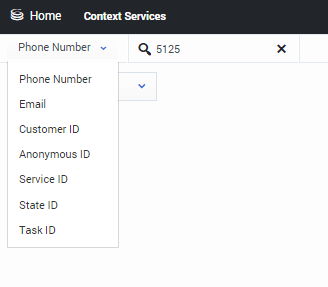 Select a key then enter a value in the search text box
 - The interface displays a list of results. Select an item in the list.
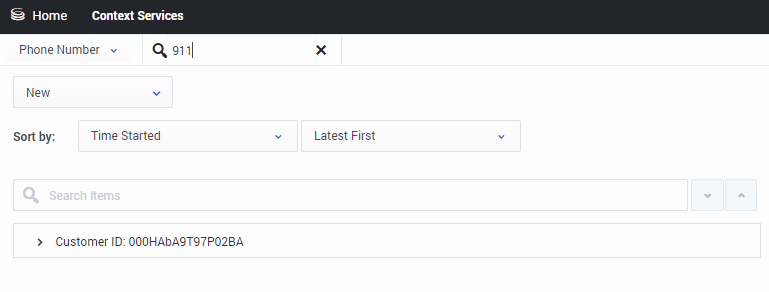 The list displays a list of objects according to your selection.
 - You can then use the interface to modify the service.

Managing your Services
The interface let you manage the list of objects that you selected. If you selected a customer instance, you get the complete list of objects associated with the Customer ID.
- You can use the sorting tools to change the list displayed.
- You can select an item in the list, and get more details about the object.
- You can delete an object by clicking on the cross icon.
- You can use the action menu to perform more actions, such as creating new services, states, tasks.

The panel displays a list of objects according to your selection. You can toggle this list or sort the list.

If you select a resource, the action menu is modified. You can even get a Complete command to complete the selected service, state, or task. To delete a resource, click the X command.

The action menu enables you to create new resources.

When you create a new resource, you can fill it and even add some extension data.
This page was last edited on January 22, 2016, at 16:02.
Comments or questions about this documentation? Contact us for support!